Show the finished yard on the client’s own photo.
Snap the yard, pick a style, and show a photo-real redesign, usually in under a minute. The house stays as it is. Only the landscaping changes.
A real Yardscaper design
Drag the slider: the yard as photographed, and the Curb Appeal concept.
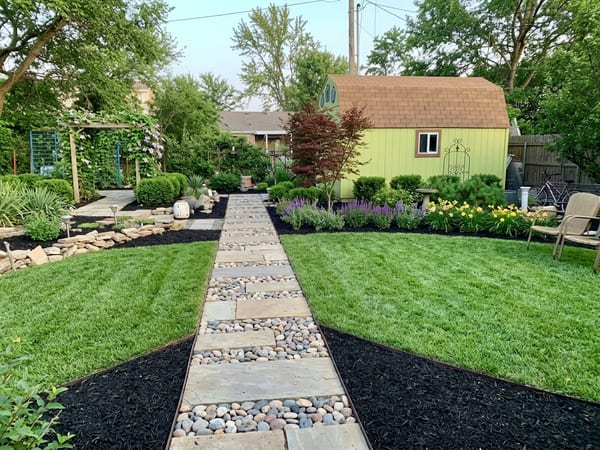
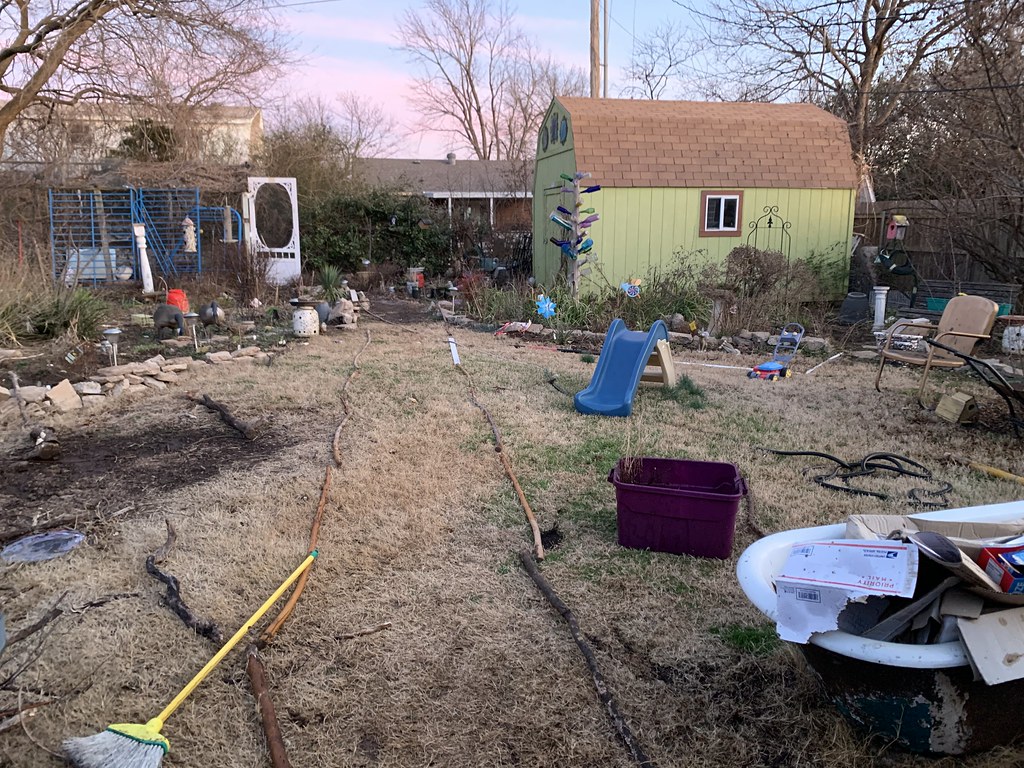
AI concept for inspiration — confirm plants, sizes and scope before you build.
How it works on a sales call
Take the photo
Stand where the client will look from — the street, the patio door — and take a normal phone photo.
Pick a style together
Curb Appeal, Native & Pollinator, Rock & Xeriscape, Paver Patio & Outdoor Living, English Cottage Garden and more — 16 in all.
Show them on your phone
The client sees their yard, redesigned, before you’ve left the driveway. Run two or three styles and let them point at the one they like.
No laptop, nothing for the client to install, and nothing to learn first. It runs in your phone’s browser.
It keeps the house
A redesign only sells if the client recognizes their own home. Every style is written to keep the house, roofline, windows, driveway and camera angle as photographed, and to change only the beds, lawn, plants, paths and hardscape. That’s the difference between “here’s a nice yard” and “here’s your yard.”
Like any AI image, check the result before you show it. If something about the house drifted, run it again.
Tweak it in the meeting
“Lighter pavers”, “keep the oak by the driveway”, “more color by the door” — say it in plain words and the next version takes seconds. Every version stays saved with the yard.
Send it, get a yes
Not every client decides in the driveway. Send them a link to the design: it opens on their phone without an account, says “Concept by” your business name, and carries your call and email buttons. They tap “I like this — let’s talk” or ask for changes, and you see it on the design in your app — views, the like, and every change request, with “Make these changes” to open the design for editing.
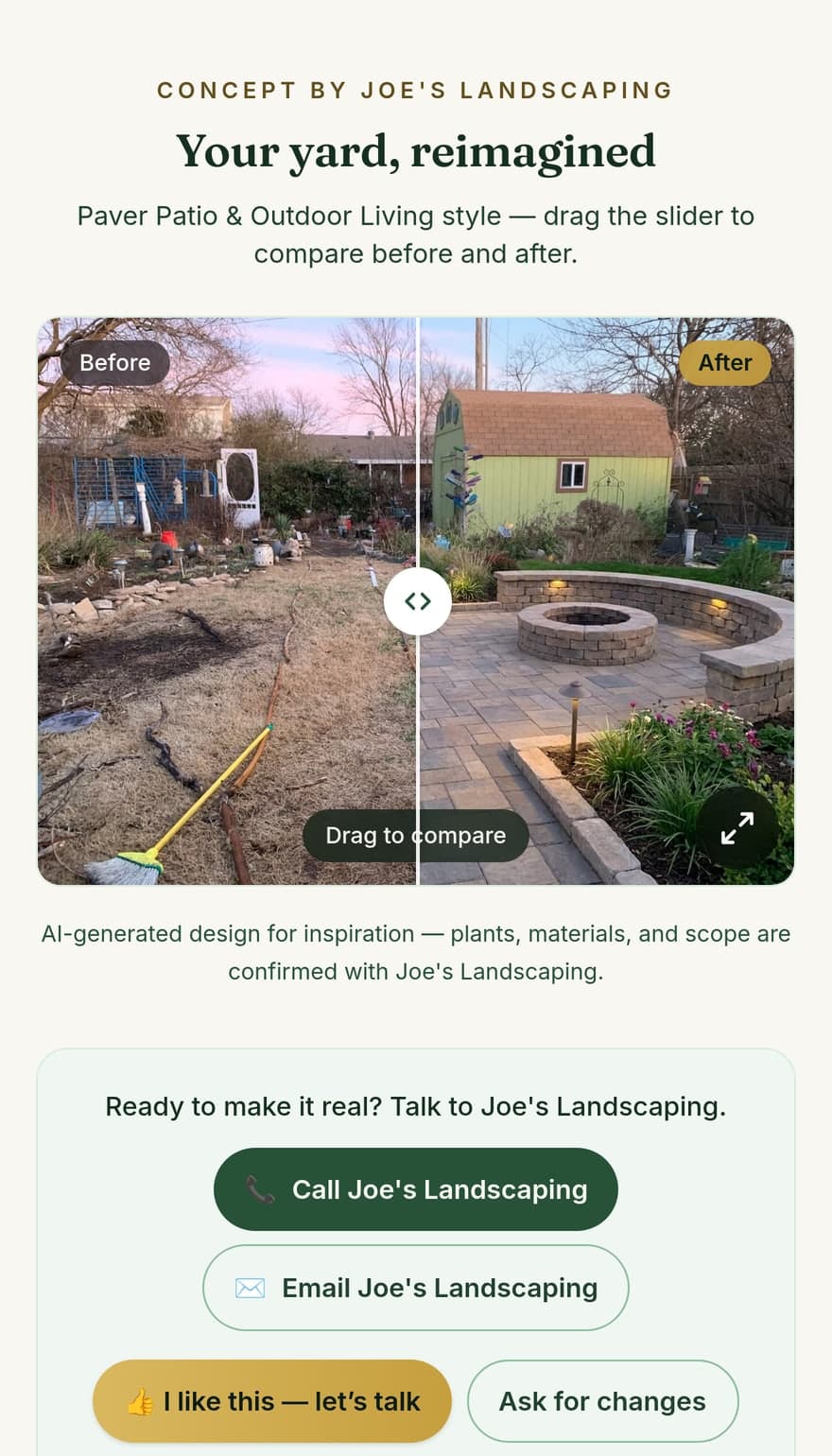
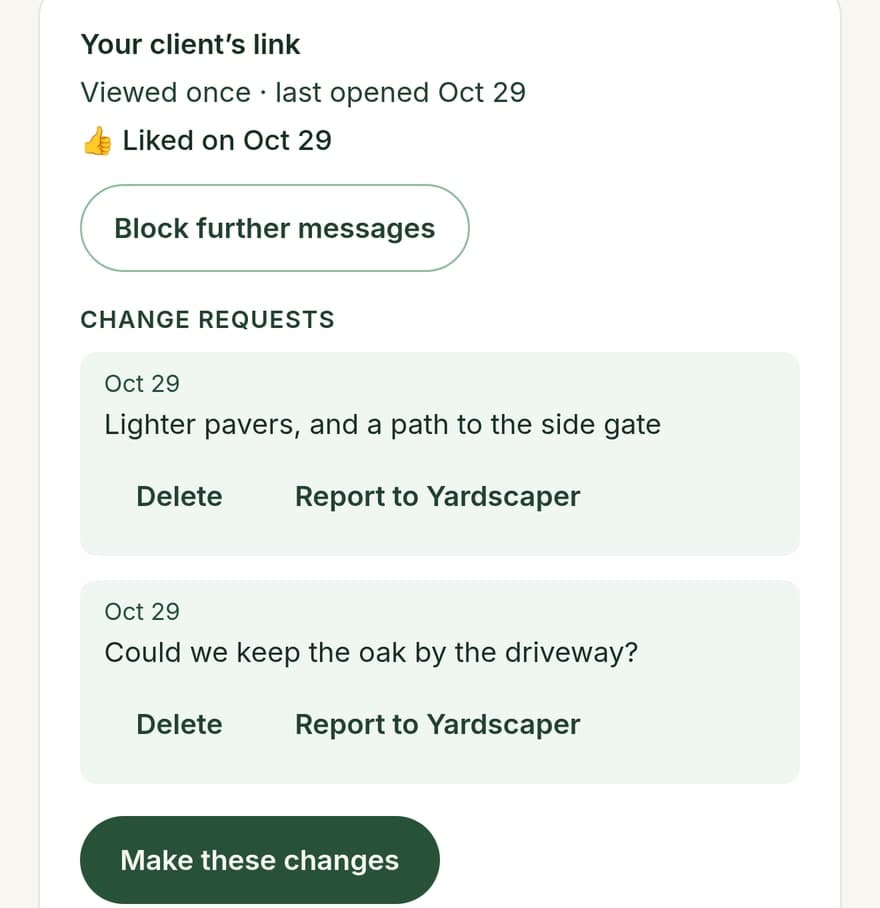
In person, Show client puts the design full screen on your phone under your business name, so the conversation is about the yard, not the app. Flip Before and After as you talk.
When you need CAD instead
Yardscaper is a sales visual, not a construction document. It doesn’t measure, it doesn’t produce a plant schedule, and it doesn’t replace a planting plan. If the job needs scaled drawings, grading, irrigation layouts or a 3D walk-through, use a tool built for that — SketchUp, Vectorworks Landmark, PRO Landscape or Realtime Landscaping. Many contractors use both: the AI picture to agree on the look, and the plan to build it.
Comparing tools? Our client-visuals software comparison covers the field, prices included.
What it costs
- Free to try. The demo needs no account. A free account gets 5 designs, then 3 a month. No card.
- Contractor — $29/mo or $290/yr. 250 designs a month, your business name on every design. Launch price — the first 100 contractors lock $29/mo for life.
- Need more one month? A one-time pack adds 30 designs for $4.99. They never expire.
Doing patios and pavers?
There’s a page for patio, paver and hardscape contractors: show the patio before you pour it. And for the method itself, read how to show a client the design before you build.
Questions
- Does Yardscaper replace a landscape design plan?
- No. It’s a sales visual: a photo-real picture of the client’s own yard with the new landscaping. It doesn’t produce measured drawings, plant schedules or construction details. Use it to agree on the look, then use your usual plan, sketch or CAD tool for the build.
- Does it work from a phone photo?
- Yes. Take a normal photo of the yard on your phone, upload it, pick a style, and Yardscaper returns a redesigned version of that same photo. A clear daytime shot with the house and the whole area you’re quoting in frame works best.
- Can I use it on-site with the client?
- Yes. It runs in the phone’s browser, so you can take the photo in the driveway, pick a style with the client and show them the result on the same phone, usually in under a minute. “Show client” puts the design full screen under your business name.
- Can the client reply without an account?
- Yes. A client link opens on any phone with no account. The client can call or email you from it, tap “I like this — let’s talk”, or ask for changes, and their reply shows up on the design in your app, where “Make these changes” opens it for editing.
- What does Yardscaper cost for a landscaping business?
- You can try it free without a card: the demo needs no account, and a free account gets 5 designs, then 3 a month. The Contractor plan covers 250 designs a month and puts your business name on every design; the current price is on the pricing page.
- Does it change the client’s house?
- It’s built not to. Every style is written to keep the house, driveway, windows and camera angle as photographed and change only the landscaping, so the client recognizes their own home. Like any AI image, check the result before you show it.